Build the Pyramid! is a Roblox simulation game by Janitors Studios. You pick up blocks at the quarry and carry them to the pyramid, and everyone in the server helps build it together. As you play, you train to get faster and stronger. This guide covers how the game works, what to do in your first few minutes, how to earn coins, what to upgrade first and the mistakes most new players make.
What is Build the Pyramid!?
Build the Pyramid! is an incremental simulator. That means you start small and slowly get stronger. Up to 100 players can share a server, and private servers are not available.
The official description sums it up well:
- Pick up blocks and carry them to the pyramid.
- Work together with everyone in the server.
- Train to increase your speed and strength.
- Complete pyramids to become even stronger.
You can play on desktop, console, mobile and tablet.
How the core loop works
The game follows a simple loop that you repeat:
- Grab a block from the quarry.
- Carry it along the green arrows to the pyramid.
- Help finish the pyramid. A counter at the top of the screen (for example 81,223 / 171,700) goes up steadily as the seconds pass. It seems to show how far the whole server has got with the current pyramid.
- Get stronger. Finishing pyramids makes you stronger. It also unlocks better gyms where you train speed and strength.
On the left of your screen you can see your stats: Coins, Energy, Strength and Pyramids. They all start at 0.
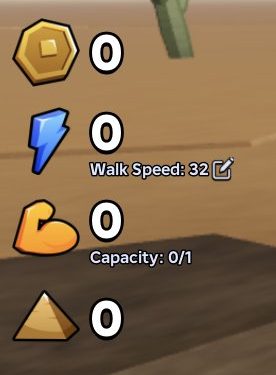
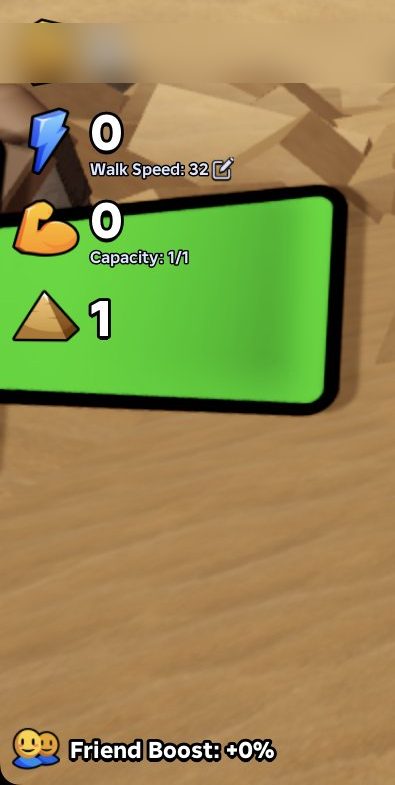
You can only carry as many blocks as your Capacity allows. When you carry one block it shows Capacity: 1/1. To carry more blocks at once, you need more capacity.
Your first session, step by step
The tutorial tells you to "Grab a block from the quarry to begin." Here's how to do it.
Get to the quarry
- When you spawn, look for the green arrows on the ground. At first they point back towards you, so turn around before you start walking.
- Walk forward along the arrows towards the BLOCKS sign, which is ahead and to the right.
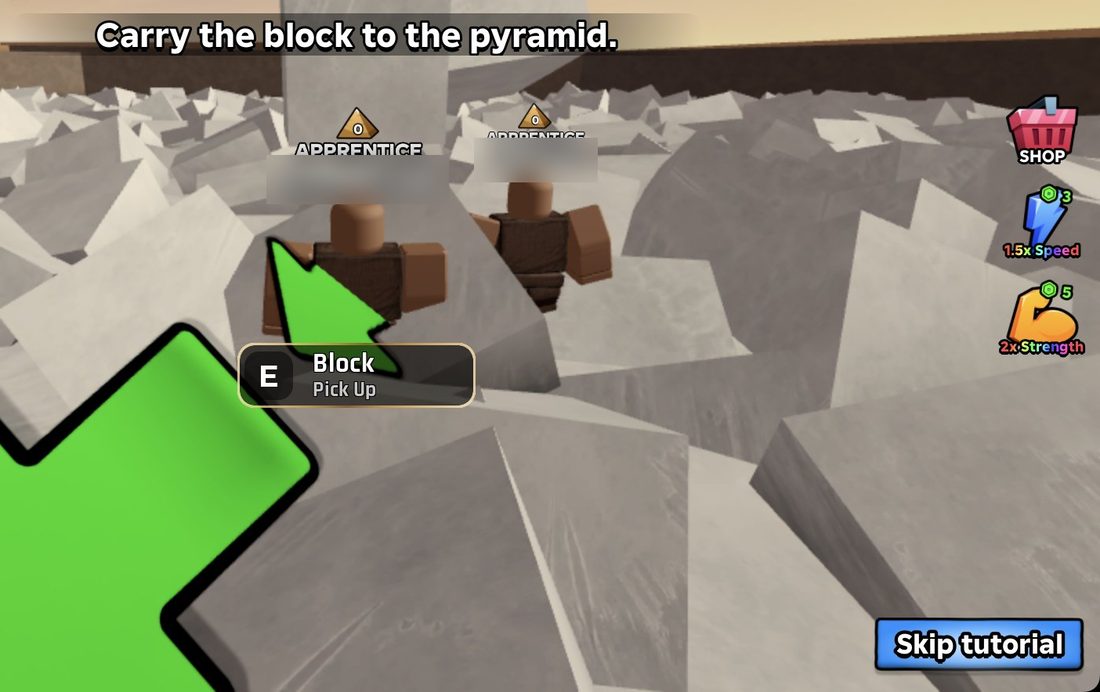
- Keep going until a Block Pick Up prompt appears on screen.
Pick up a block
- Stand next to a block until the prompt shows.
- Hold E for about a second.
- Wait a moment. The tutorial will then tell you to carry the block to the pyramid.
Carry the block to the pyramid
- Before you move, look all the way around you. The quarry has walls, and it's easy to walk straight into one.
- Find the green arrows that point away from you, and follow them.
- The trail goes right first, then a big green arrow points left. Turn and keep following it.
- Be patient. The pyramid is a fairly long walk from the quarry, so don't give up halfway.
A small popup with the words Apprentice, Strength and Capacity may appear while you walk. It looks like a rank or stats display and probably won't stop you moving.
How to earn coins faster
Coins are one of the currencies you can spend in the UPGRADES area. Here are some easy ways to get more:
- Keep hauling blocks. This is the main loop of the game, so keep making trips. We haven't confirmed yet exactly what a delivery pays.
- Check the top bar. It has buttons showing coin amounts like +1,000, +5,000, +10,000 and +50,000, each with a timer. Look at them often.
- Look out for coin boosts. Sometimes a 1.5x COINS or 2x COINS multiplier shows at the top of the screen. That's a great time to play.
- Play with friends. A Friend Boost is shown in the game (it starts at +0%). The friends icon at the top right opens Roblox's Invite Friends screen.
- Finish pyramids to unlock gyms. Gyms are where you train speed and strength. You unlock them by completing pyramids:
- 2x gym after 1 pyramid
- 5x gym after 3 pyramids
- 10x gym after 8 pyramids
- 25x gym after 15 pyramids
- 50x gym after 25 pyramids
- 75x gym after 50 pyramids
- 100x gym after 100 pyramids
What to buy first
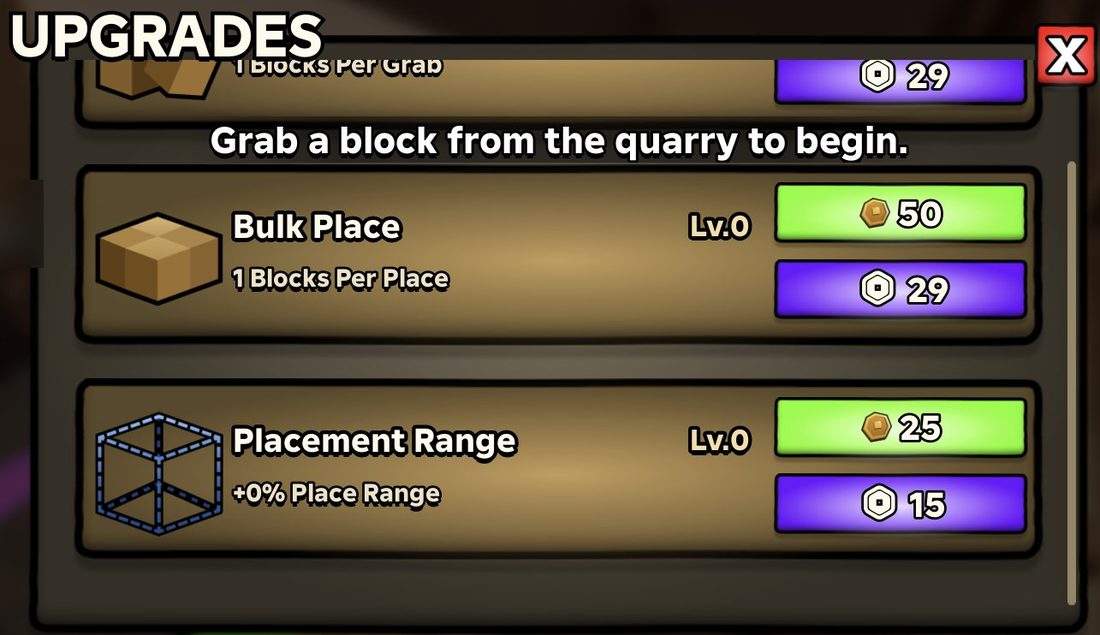
The UPGRADES area is the structure on the left of the arrow trail, close to spawn. Just walk into it and the UPGRADES menu opens. Upgrades cost coins (green button) or gems (purple button).
Good first upgrades:
- Placement Range costs 25 coins (or 15 gems). It's the cheapest of the upgrades shown here and increases your place range.
- Bulk Place costs 50 coins (or 29 gems). It raises how many blocks you place at once (you start at 1 Blocks Per Place).
- Bulk Pickup costs 29 gems. It raises how many blocks you grab at once (you start at 1 Blocks Per Grab).
The Shop (red icon at the top) only sells Robux items, such as gym unlocks, Boost Server Training and the Pharaoh and Sun God characters. You don't need any of them to play. You can also unlock the 2x to 100x gyms for free by completing pyramids. The ADMIN gym is only sold as a Robux unlock.
Controls and settings
Main control
- Hold E to pick up a block when the Block Pick Up prompt shows.
Top bar icons
- Gear icon opens Settings.
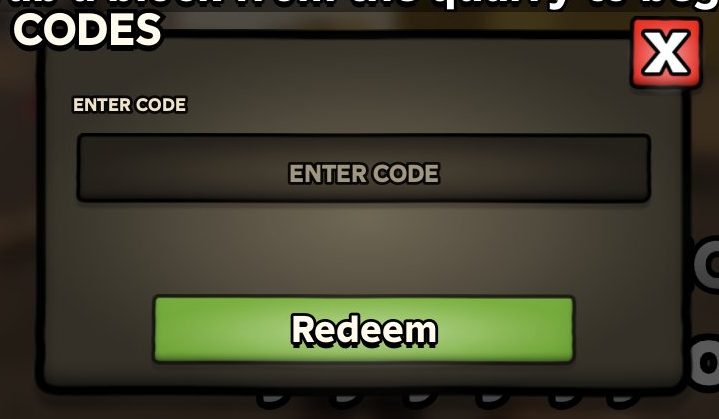
- Cards icon opens Codes, where you type a code and press Redeem.
- Red SHOP icon opens the Shop.
Useful settings (click the gear, then pick a tab)
- Performance: Block Visibility, Dropped Block Visibility, Block Opacity and Block Render Distance. If the game is laggy, try lowering these.
- Audio: Music, Sound Effects and UI Sounds volume sliders (0 to 100).
- Movement: a Max Speed slider. Your Walk Speed starts at 32.
- Interface: HUD Scale (default 75%), Menu Scale (default 100%) and a UI Animations toggle.
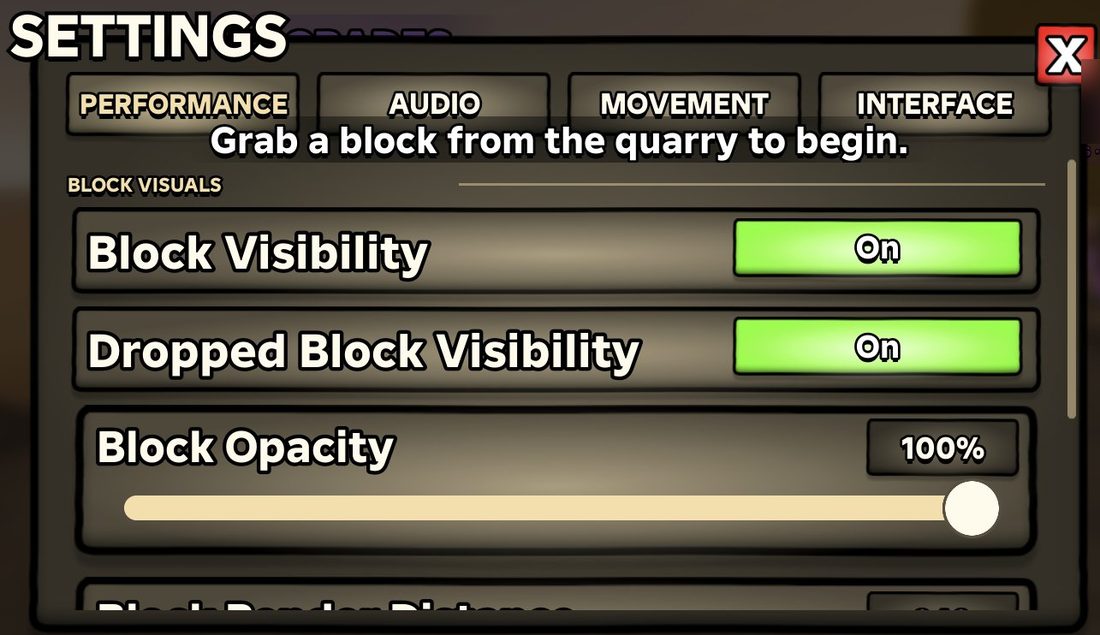
Settings also has camera options: a Field of View slider (default 80) and a Completion Cutscene toggle.
Common mistakes to avoid
- Walking the wrong way at spawn. At first the arrows point back towards you. Turn around first.
- Thinking the UPGRADES building is the quarry. The structure on the left of the trail is UPGRADES. To reach the quarry, keep following the arrows towards the BLOCKS sign.
- Running into walls with a block. After you pick up a block, look around first and find the arrows before you move.
- Stopping too early. The walk to the pyramid is long. Keep following the green arrows.
- Clicking the 1.5x Speed and 2x Strength buttons by accident. These buttons on the right of the screen only open Robux purchase prompts. Close them with the X if you don't want them.
- Clicking the stat icons on the left. The hexagon stat icons can't be clicked. The edit button next to Walk Speed just opens Settings > Movement.
Frequently asked questions
How do you pick up blocks in Build the Pyramid!?
Follow the green arrows from spawn to the quarry. Stand next to a block until the Block Pick Up prompt appears, then hold E for about a second.
Where is the pyramid in Build the Pyramid!?
Follow the green arrows from the quarry. The trail goes right and then left, and it's quite a long walk, so keep going until you reach the pyramid.
How do you unlock gyms for free?
Complete pyramids. The 2x gym unlocks after 1 pyramid, the 5x after 3, the 10x after 8, and so on up to the 100x gym after 100 pyramids.
Are there codes for Build the Pyramid!?
There's a Codes menu (the cards icon at the top of the screen) with a box to enter a code and a Redeem button. Check the game's official pages for any working codes.
What should I upgrade first?
Start with Placement Range for 25 coins, then Bulk Place for 50 coins. You'll find both in the UPGRADES area near spawn.
Can you get a private server in Build the Pyramid!?
No, private servers aren't available in this game. Public servers hold up to 100 players, and everyone builds the pyramid together.