In Fisch, the Auto-sell Preferences setting decides which fish you keep and which ones get sold. If you set it up early, you won't sell a great catch by mistake. This guide covers the 8 rarity tiers, where to find the setting, what the defaults do, how favouriting protects your fish, and when the Sell Anywhere pass makes sense.
The 8 rarity tiers
Every fish in Fisch has a rarity. There are 8 tiers, from lowest to highest:
- Trash
- Common
- Uncommon
- Unusual
- Rare
- Legendary
- Mythical
- Exotic
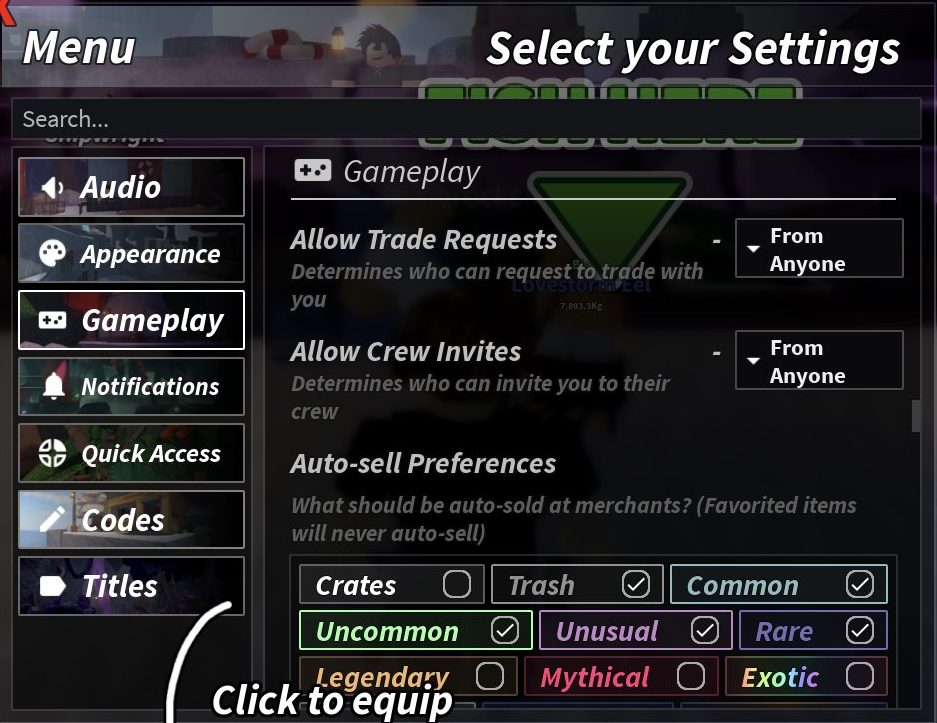
The Auto-sell Preferences menu also has a ninth option called Crates. It isn't a fish rarity, but you can choose whether crates get sold too.
Where to find Auto-sell Preferences
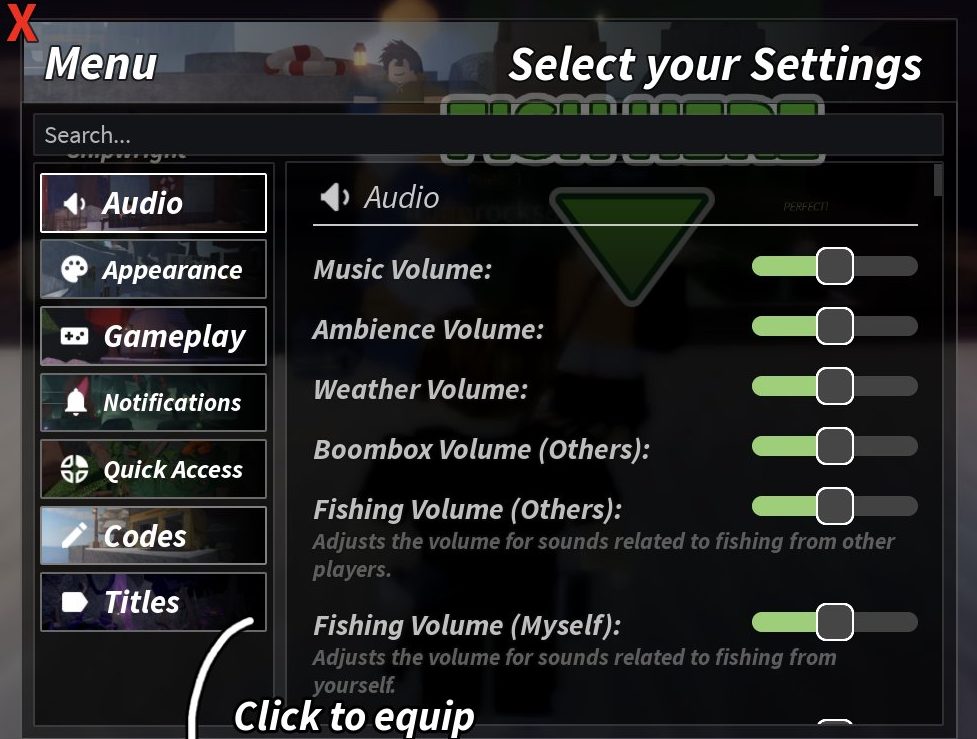
The setting is in Menu > Gameplay > Auto-sell Preferences.
- Click Menu on the HUD. It opens on the Audio tab.
- Click the Gameplay tab.
- Find Auto-sell Preferences. It sits under Allow Trade Requests and Allow Crew Invites.
- Tick the rarities you want sold. Untick the ones you want to keep.
- Click Menu again to close it.
What the default settings do
When you start, the setting looks like this:
- Ticked (will auto-sell): Trash, Common, Uncommon, Unusual and Rare
- Unticked (will be kept): Crates, Legendary, Mythical and Exotic
So by default, your everyday fish get sold and your best fish stay safe. For most new players, this is a good setup. You don't need to change anything to get started.
How auto-sell works at the Merchant
Auto-sell works at merchants. The rarities you tick are the ones that get auto-sold there.
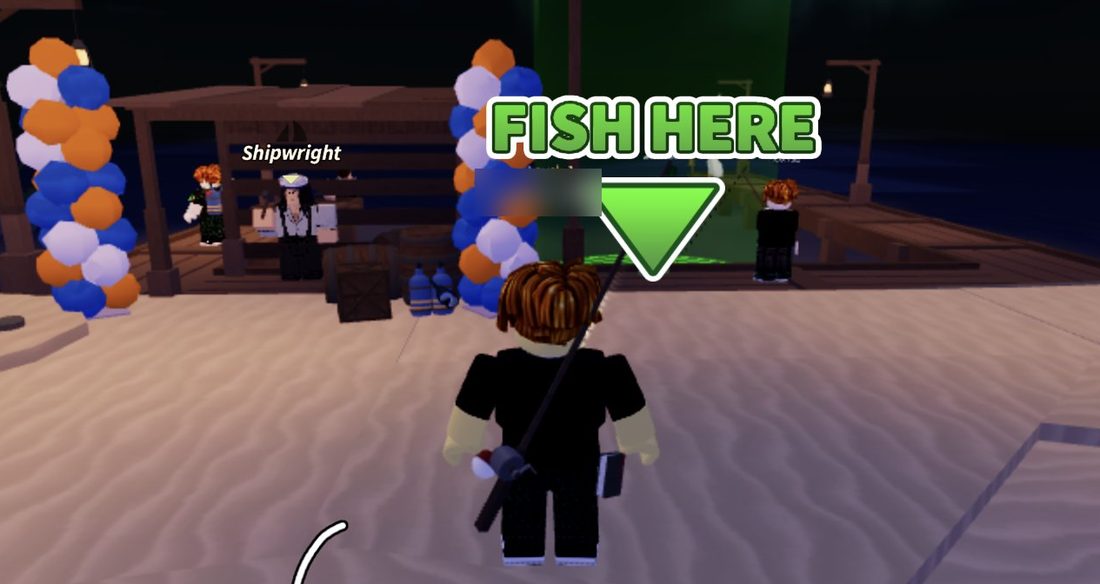
On Moosewood, there's a Merchant near the spawn dock, so you never have to walk far after fishing at the FISH HERE spot.
Your first sale earns the Economy Expert badge ("Sold a fish for the first time"). For the full list, see our guide Fisch Badges: Full List and How to Get Every Badge.
How favouriting protects your fish
Favorited items never auto-sell, even if their rarity is ticked.
That makes favouriting the safest way to keep one special fish. Say you catch a Rare fish you really like. Rare is ticked by default, so it would normally be sold. If you favourite it, the Merchant leaves it alone.
It's a good habit to favourite anything you want to keep before you sell.
Keep Legendary unticked
The Rare Hunter badge asks you to "Catch a legendary fish". Legendary is unticked by default, so your first Legendary catch won't be auto-sold at the Merchant.
Leave Legendary, Mythical and Exotic unticked unless you're sure you want to sell them. These are the highest tiers.
Is Sell Anywhere worth it?
Sell Anywhere is a gamepass that costs 399 Robux. It lets you "instantly sell everything unfavorited in your inventory" from wherever you are.
The pass sells everything that isn't favourited. So before you use it, favourite every fish you want to keep.
You don't need it. Selling at the Merchant near the spawn dock costs no Robux, especially handy while you're fishing on Moosewood. The pass mainly saves you the trip back to a merchant. It's handy if you fish far from one, but you lose nothing by skipping it.
For more on every pass, see Fisch Game Passes: Every Pass and Which Are Worth It.
A simple setup for new players
- Leave the default settings as they are.
- Fish at the FISH HERE spot near spawn.
- Favourite any fish you want to keep.
- Walk to the Merchant near the spawn dock and sell.
- Check Menu > Gameplay > Auto-sell Preferences now and then to make sure Legendary, Mythical and Exotic are still unticked.
New to the game? Start with Fisch Beginner's Guide: Your First Session on Moosewood.
Frequently asked questions
Where are the auto-sell settings in Fisch?
Click Menu on the HUD, then open the Gameplay tab. Auto-sell Preferences is listed there, under Allow Trade Requests and Allow Crew Invites.
What are the rarities in Fisch?
There are 8: Trash, Common, Uncommon, Unusual, Rare, Legendary, Mythical and Exotic. Auto-sell also has a separate Crates option.
What does auto-sell sell by default?
Trash, Common, Uncommon, Unusual and Rare are ticked, so they get sold. Crates, Legendary, Mythical and Exotic are unticked, so you keep them.
Will auto-sell sell my favourited fish?
No. Favorited items never auto-sell, even if their rarity is ticked.
Where do I sell fish in Fisch?
Auto-sell happens at merchants. On Moosewood, there's a Merchant near the spawn dock.
Does Sell Anywhere keep my favourited fish?
Yes. The 399 Robux pass sells everything that isn't favourited. Favourite your best fish first so they stay safe.