Grow a Garden is a calm farming game on Roblox. You buy seeds, plant them, harvest the crops and sell them for Sheckles (¢). Then you use those Sheckles to buy more seeds. This guide covers your first session step by step. It also shows how to earn Sheckles faster and which mistakes to avoid.
What is Grow a Garden?
Grow a Garden is a simulation and tycoon game made by The Garden Game. Up to 4 players share a server, and each player has their own fenced garden. The garden has rows of brown soil on both sides of a grass path in the middle.
The main currency is Sheckles, shown with the ¢ symbol. You start with 20¢. The best part is that your garden keeps growing while you're offline. When you come back, the game tells you: "Your garden grew while you were gone!"
How the core loop works
Everything in the game comes back to one simple loop:
- Buy seeds from Sam at the Seed Shop.
- Plant them in your garden.
- Harvest the crops when they're grown.
- Sell the crops to Steven for Sheckles.
- Spend those Sheckles on more seeds and repeat.
The three big buttons at the top of the screen are teleports, so you never have to walk far:
- SEEDS takes you to Sam's seed stand.
- GARDEN takes you to your own garden.
- SELL takes you to Steven's sell stand.
Later on there's lots more to explore, such as pets, mutations, crafting, cosmetics and a Season Pass. When you're new, stick to the loop.
Your first session, step by step
Getting into the game
- Wait for the main buttons (SEEDS, GARDEN, SELL, Shop, Pass) to appear.
Buying your first seeds
- Click SEEDS to teleport to Sam.
- Press E to talk to Sam and open the Seed Shop.
- If the shop opens on Daily Deals, click the Shop tab instead.
- Find Carrot Seed and buy one for 10¢ for each seed you want.
- Check that your Sheckles have gone down, then close the shop.
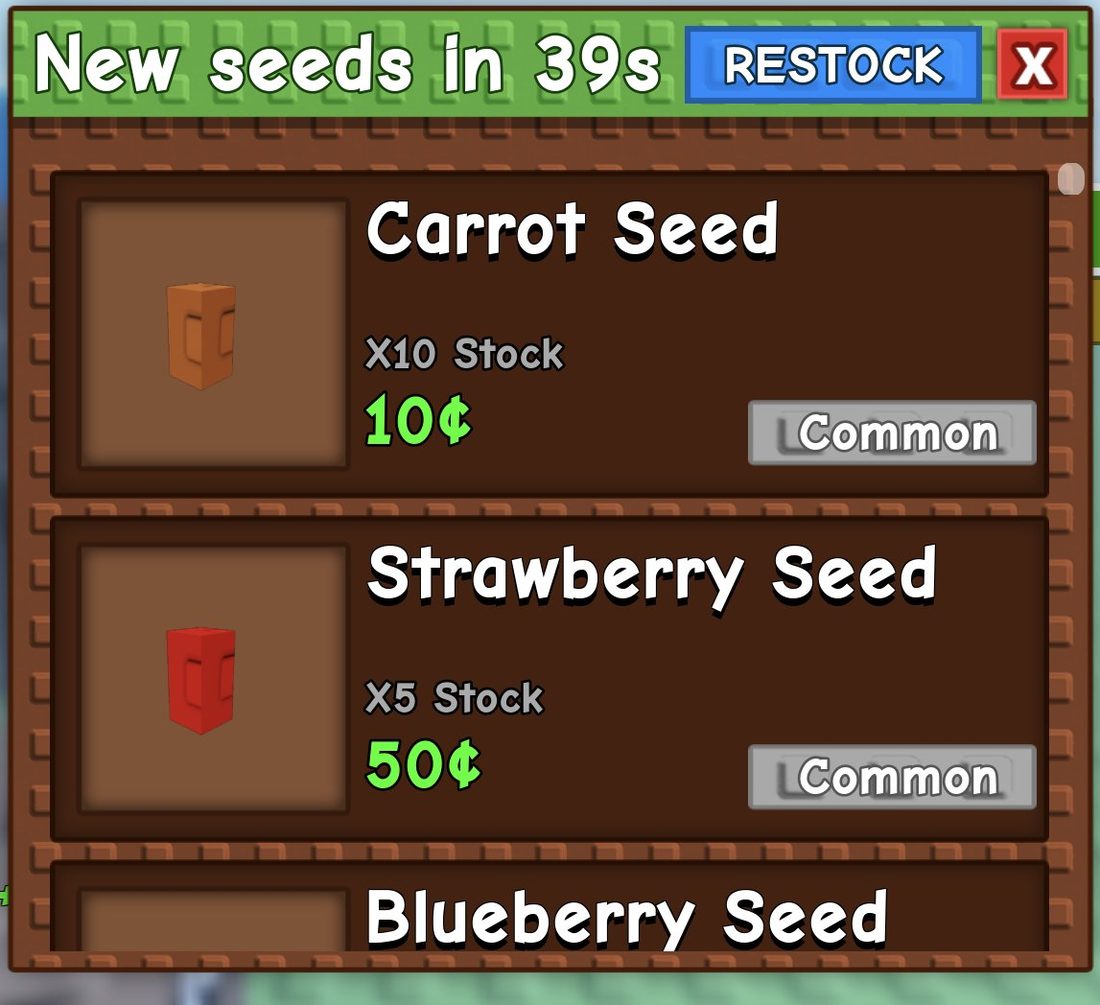
You start with 20¢, so you can buy 2 Carrot Seeds.
Planting
- Click GARDEN to teleport home.
- Walk over to the brown soil.
- Click your seed in the hotbar to hold it (for example, Carrot Seed [X5]).
- Click a patch of brown soil. The seed number goes down by one (X5 becomes X4) and a grow timer appears above the plant.
- Click other spots of soil to plant the rest.
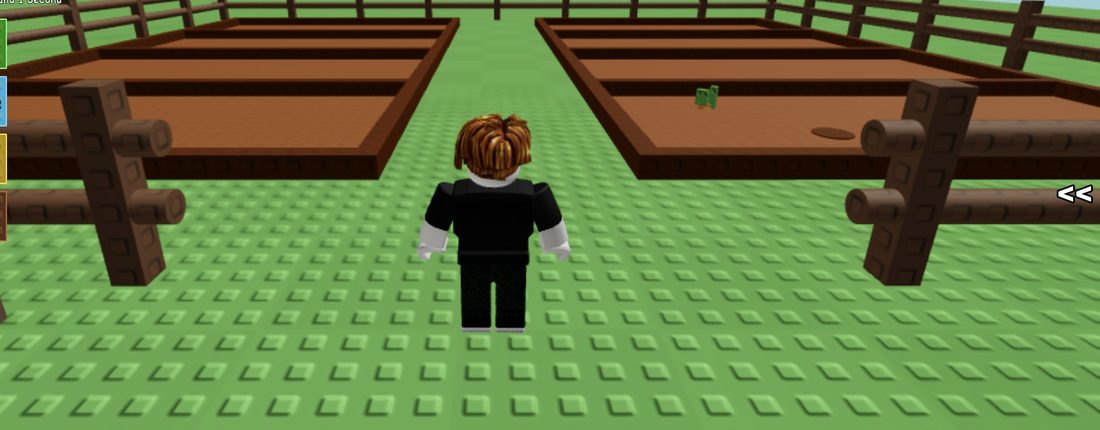
Planting your first carrot earns you the Your first carrot! badge.
Harvesting
- Carrots grow fast, in under 10 seconds. Stay close by.
- Stand next to the plant until [E] Collect appears.
- Press E. The carrot goes into your hotbar with its weight shown, such as Carrot [0.25kg].
- Repeat this for every grown plant.
![The [E] Collect prompt on a grown crop](/media/grow-a-garden/shots/beginners-guide-s3.jpg)
Selling
- Click SELL to teleport to Steven.
- Press E to talk to him.
- Choose I want to sell my Inventory.
- Your crops leave the hotbar and your Sheckles go up.
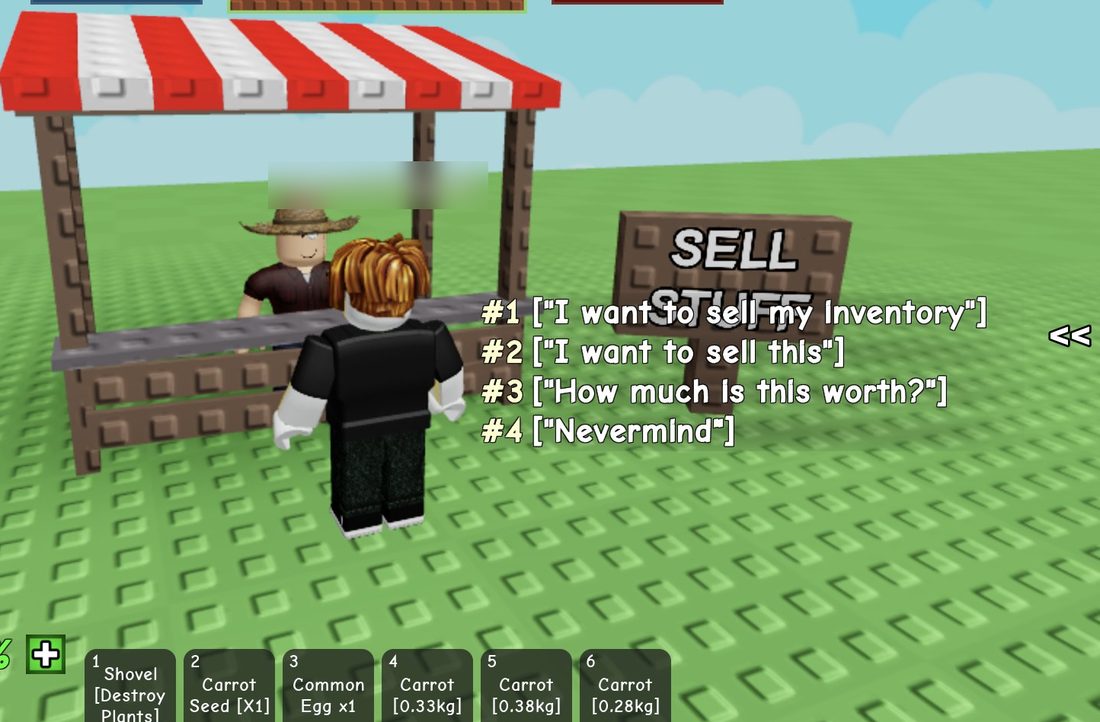
Now go back to SEEDS and buy more carrots. That's the whole loop!
How to earn Sheckles faster
- Carrots are your best friend at the start. They cost only 10¢, grow in under 10 seconds, and one harvested carrot sold for 20¢. That's roughly double your money every time.
- Spend everything on carrots. Buy as many Carrot Seeds as you can afford, then plant all of them at once.
- Wait by your plot. Carrots grow so quickly that it's worth standing next to them and collecting each one as soon as it's ready.
- Sell in one trip. Harvest everything first, then click SELL once. This saves you lots of teleporting back and forth.
- Keep an eye on restocks. The Seed Shop has limited stock and restocks on a timer. A loading tip says the best seeds have a small chance of restocking, so check back often.
What to buy first
Put your first Sheckles into Carrot Seeds (10¢). They're cheap and quick to grow, so your money grows fast without much risk.
Other early seeds in the Seed Shop include:
- Strawberry Seed: 50¢ (Common)
- Blueberry Seed: 400¢ (Uncommon)
These cost more, so leave them until you have some spare Sheckles after a few rounds of carrots. Stock changes when the shop restocks.
The Seed Shop also shows Robux prices (for example, Carrot Seed for 7 Robux). The Limited Time Shop is mostly Robux packs. The core loop runs on Sheckles, so you don't need to spend Robux to get going. Carrots and Sheckles will do the job just fine.
Controls and buttons
Keys
- E: talk to characters (Sam, Steven, Isaac) and collect grown crops.
- Mouse click: pick a hotbar item, plant on soil and press menu buttons.
Top buttons
- SEEDS, GARDEN, SELL: teleports to the seed shop, your garden and the sell stand.
Left buttons
- Shop
- Trade
- Pass: the Season Pass, with REWARDS, QUESTS and STORE tabs.
- Guide: opens your Profile. You'll find Achievements, Plants, Pets, Cosmetics, Food, Mutations and Daily Quests here.
Hotbar
Your hotbar holds your seeds, crops and tools. The Shovel in the first slot destroys plants, so only use it if you really mean to remove one.
Settings
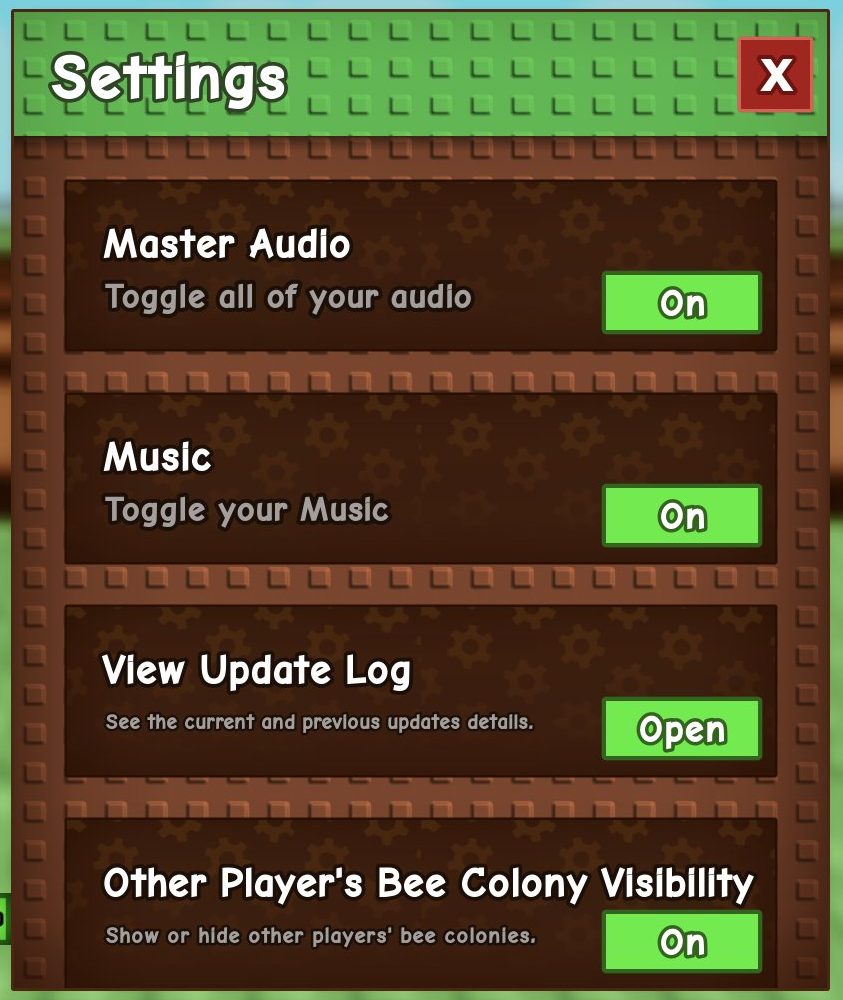
In Settings you can turn Master Audio, Music and Sound Effects on or off. You can also view the Update Log there.
Other things you'll spot
- Season Pass: finish quests to earn x400 points each. Level 1 needs 600 points. Free rewards include a Dormouse and a Drowse Daisy Seed.
- Daily Quests: you'll find these under Guide. They give rewards such as seed packs and sprinklers, and they reset every day.
- Plant and pet index: you'll see lots of silhouettes marked with "?". They fill in as you discover new plants, pets and mutations.
- Player level: you start at Level 0. New fences unlock at Levels 10, 20 and 30.
- Farmers Market: there's a portal next to your garden. It stays locked until you've earned 100,000¢, so skip it for now.
- Rainbow crops: there's a small chance for a crop to turn rainbow. Picking one earns the Colorful fruit! badge.
Common beginner mistakes
- Pressing Escape to close menus. This opens the Roblox menu instead. Use the game menu's own close button.
- Thinking Guide is a tutorial. It actually opens your Profile.
- Walking around looking for the seller. Just click SELL and you'll teleport straight to Steven.
- Clicking again and again. Check your Sheckles and hotbar count before you click again.
- Clicking the soil without a seed in hand. Hold your seed from the hotbar before you click the soil.
- Talking to Steven again after selling. That just opens his chat again. Click Nevermind to leave, then head to SEEDS.
- Using the Shovel by accident. It destroys plants!
Frequently asked questions
Do plants grow while I'm offline in Grow a Garden?
Yes. Your garden keeps growing while you're away, and the game tells you when you rejoin.
How do I sell crops in Grow a Garden?
Click SELL to teleport to Steven, press E and choose 'I want to sell my Inventory'. All your harvested crops turn into Sheckles.
How long do carrots take to grow?
Carrots grow in under 10 seconds. Stand next to the plant and press E when '[E] Collect' appears.
What is the best seed to buy first?
Carrot Seeds at 10¢ each. They grow very fast, and a harvested carrot sold for 20¢, so you roughly double your money each round.
How do I unlock the Farmers Market?
The Farmers Market portal unlocks once you've earned at least 100,000¢. Until then, keep growing and selling crops.
How many players can be in a Grow a Garden server?
Up to 4 players can be in one server, and each player has their own garden.